What creators use the vault for
The vault gives creators a place to work with media associated with their account. As a library grows, creators may need to browse different vault lists, locate older media, prepare account handoffs, or create a local archive of supported content.
Why vault organization matters
A large creator vault can contain media from different campaigns, upload periods, and internal lists. When everything is handled manually, finding the right files can become more time-consuming than the backup itself.
Ways to narrow a large vault
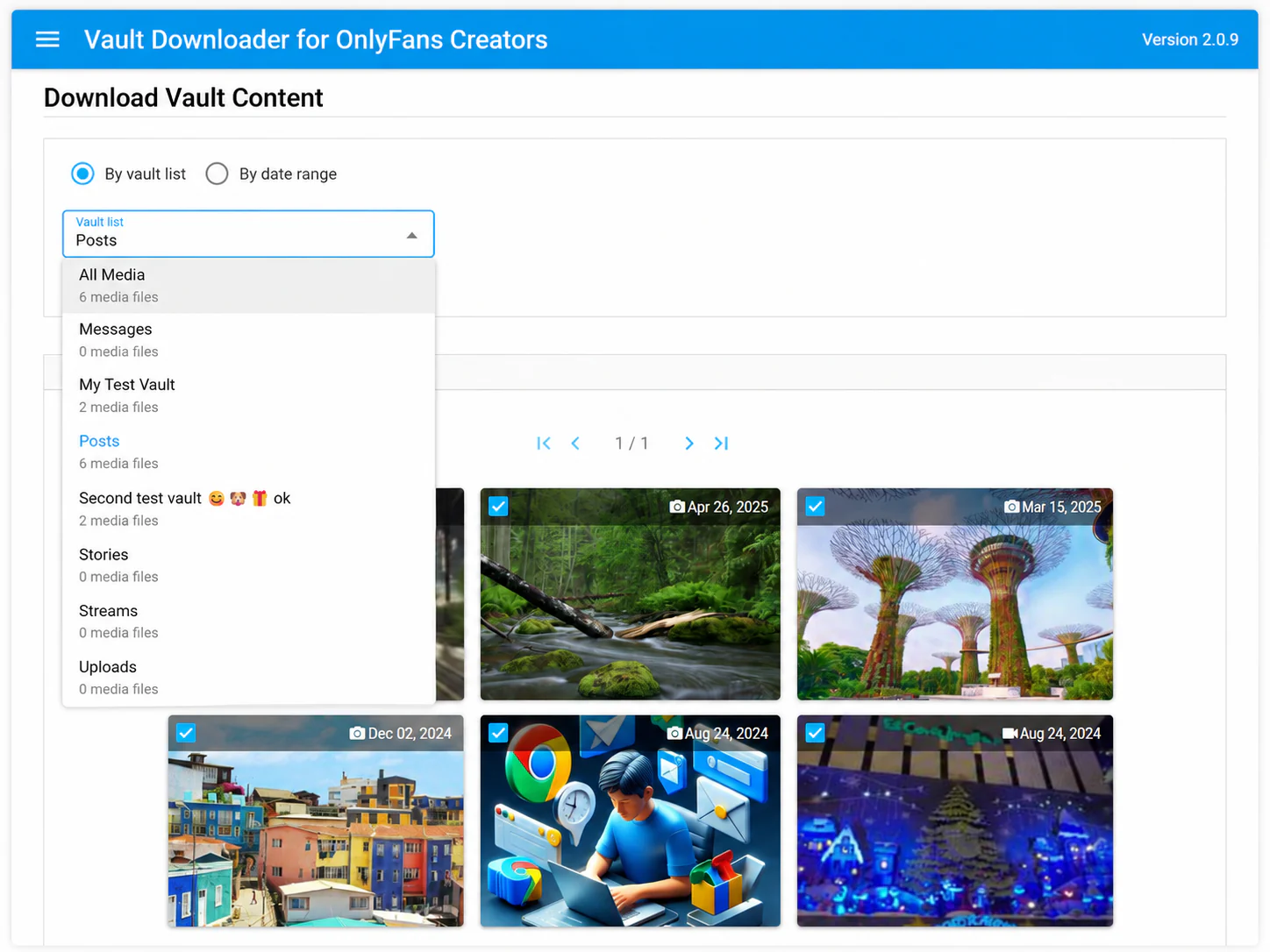
- Browse by vault list when you already know how the content was organized.
- Search by date range when the upload period is the best clue.
- Select multiple supported files when you want to create a local backup without saving every item individually.
How Vault Downloader fits
Vault Downloader is an OnlyFans vault downloader built for creators working with their own logged-in creator account. It can browse vault lists, search by date, and batch-download supported media for local backups.
What it does not support
DRM-protected media is not supported. The tool is intended for supported media available through your own creator vault.