Start with the right use case
Vault Downloader is built for OnlyFans creators working with content available through their own logged-in creator account. It is not positioned as a tool for downloading other people's content.
Two ways to find the media you need
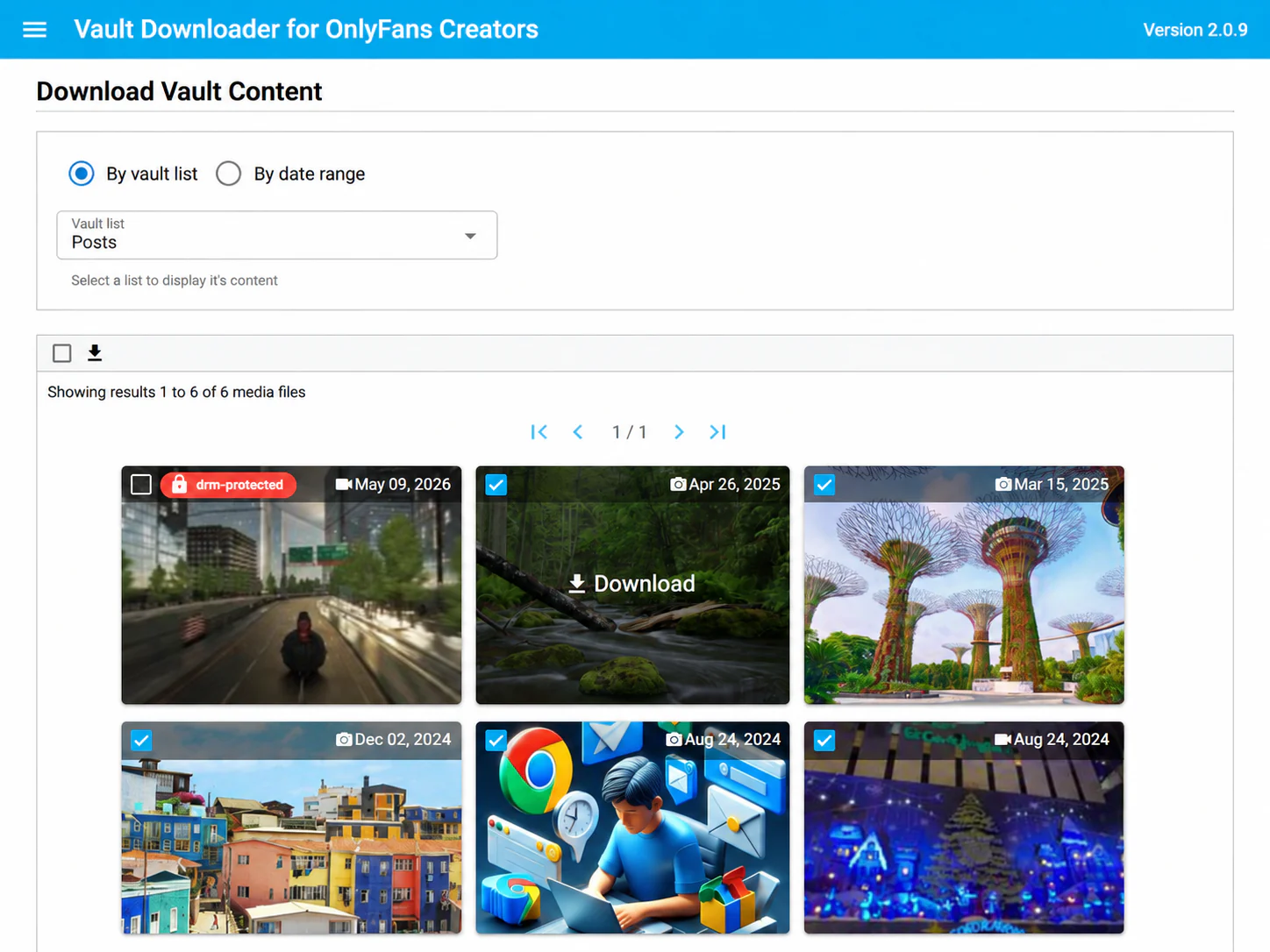
Browse by vault list
Choose a vault list and review the files inside it. This works well when your lists already reflect campaigns, content types, or internal organization.
Search by date range
Set a date range when you need content from a specific production period, migration window, or archive cycle.
Why batch selection matters
Manual downloading requires repeating the same interaction for every file. Batch selection changes the unit of work: you first identify the media you need, then save multiple supported files together.
How downloads are organized
Downloaded files are grouped by vault list and media type, which can make a local archive easier to navigate than a single unstructured downloads folder.
Try before buying
The free preview lets you inspect vault content and confirm that the workflow fits your account. Downloading is disabled until you purchase a license.
Known limitation
DRM-protected media is not supported. If a vault contains both supported and DRM-protected media, only supported media can be handled by the download workflow.