Vault lists are the first level of organization
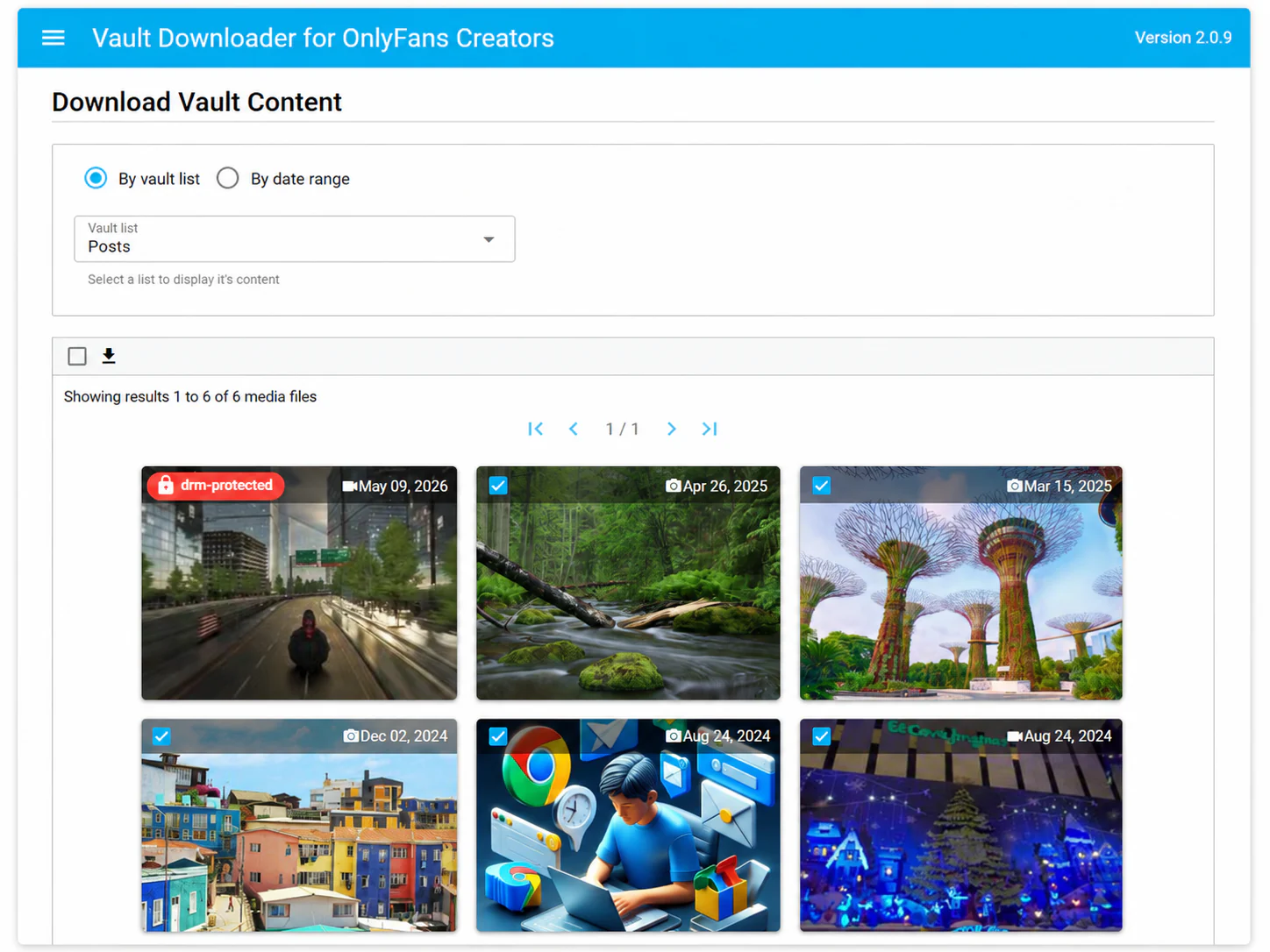
If your account already uses vault lists, start there. A list can be a faster way to narrow the library than scanning all available media.
Dates are useful when list names are not enough
For older campaigns, migrations, or monthly backups, a date range can be more useful than a list name. Set the period first, then review the matching supported media.
Choose the files before you download
A good backup workflow separates discovery from download. First identify the content you need, then select supported files and save them in batches.
Keep the archive local and organized
Local backups are easier to maintain when folders reflect the creator, vault list, media type, or archive period. The exact system matters less than being consistent.
Known limitation
DRM-protected media is not supported. Vault Downloader is intended for supported content available through your own creator vault.